

What agents can do with Notion
Once connected, agents can:- Search your workspace: Find pages, databases, and documents across your Notion workspace.
- Read documentation: Access design docs, runbooks, and technical specs without leaving your session.
- Reference project context: Pull in requirements, meeting notes, and decisions relevant to your current task.
- Add content: Create and update pages with findings, notes, or documentation.
Example workflows
Connect Notion
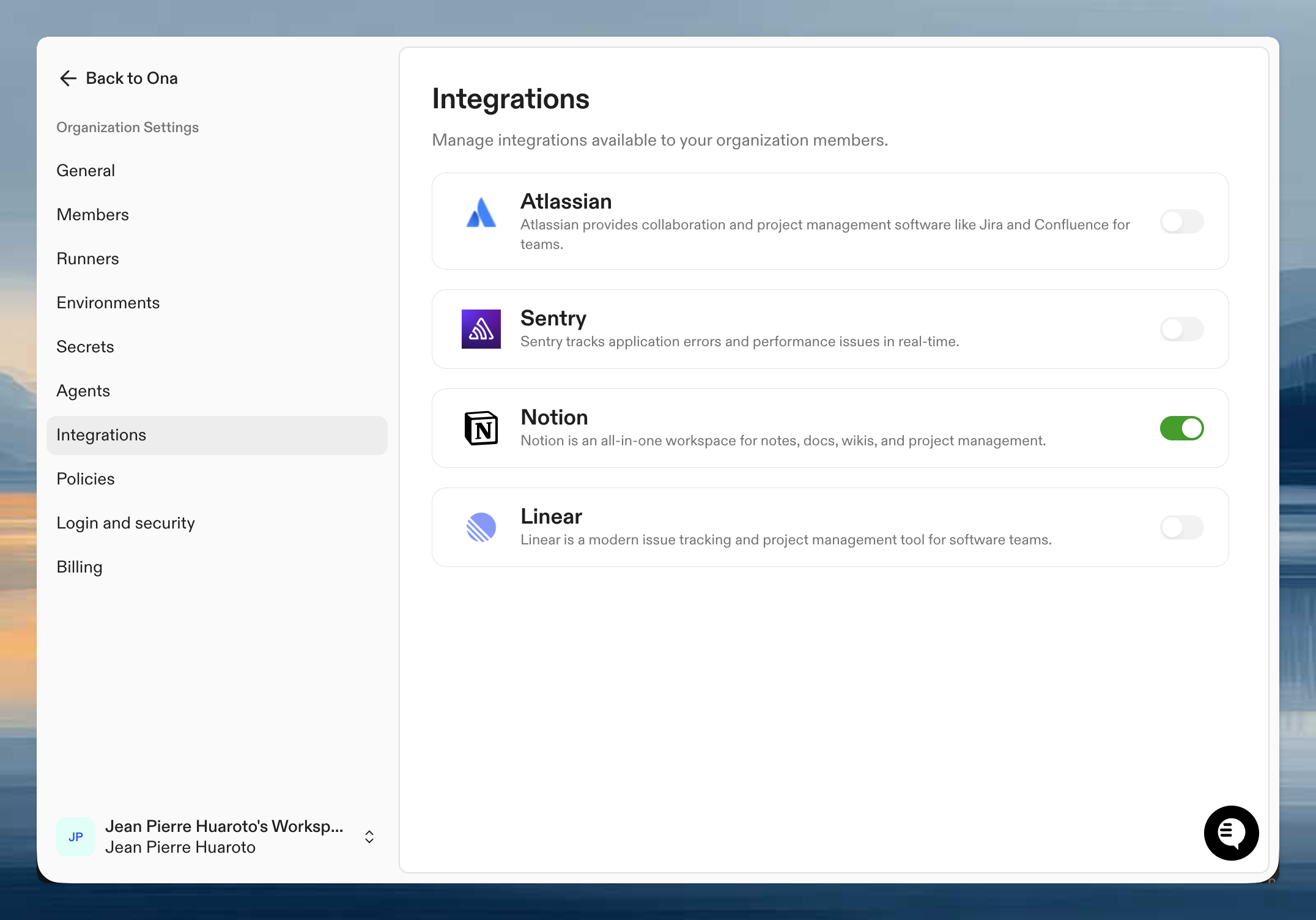
Step 1: Organization setup
An admin needs to enable Notion for your organization first.- Go to Organization Settings > Integrations
- Find Notion and click Enable
- Configure default workspace settings if needed
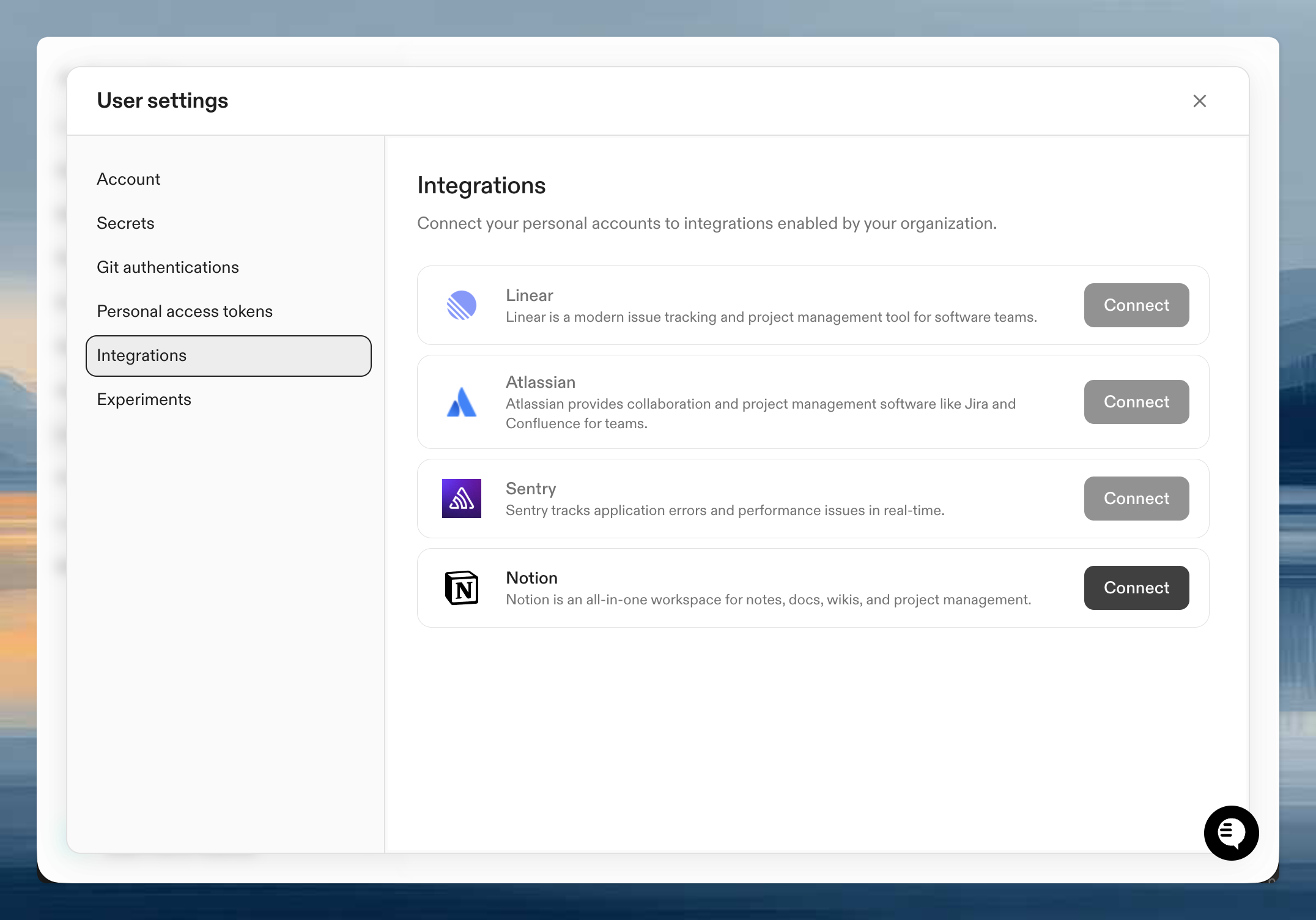
Step 2: Authenticate your account
Once enabled, connect your personal Notion account:- Go to User Settings > Integrations
- Click Connect next to Notion
- Authorize Ona to access your Notion workspace
- Select which pages and databases to share
Verify it works
Start a session with an agent and try:Tips for effective use
Be specific about pages: If you have a large workspace, give the agent specific page or database names: “Find the Q1 planning page in the Engineering space.” Share the right pages: During Notion authorization, you select which pages the integration can access. Make sure to share the pages your agents will need. Use with AGENTS.md: Add references to key Notion pages in AGENTS.md so agents know where to find your team’s documentation and conventions.Next steps
- Teach agents your codebase including references to your Notion documentation
- Organization-level skills for common workflows like
/find-docs - Learn about integrations for other available connections
Troubleshooting
No results found
No results found
Notion’s authorization model requires you to explicitly select which pages to share during the OAuth flow. If the agent can’t find a page, disconnect and reconnect, ensuring you share the relevant pages.
Cannot access a specific page
Cannot access a specific page
Pages must be explicitly shared with the integration during authorization. You can update your page selection by disconnecting and reconnecting the integration.